A Drupal site your team can extend. An API any stack can consume.
gtfs.media is a suite of GPL‑2.0+ modules on plain Drupal 10/11. If you work in Drupal, you already know this system — entities, fields, Views, permissions, config sync, applied to transit. This page covers how a deployment is put together, what it exposes, and how it fits with the site you already run.
In plain language
This page is for people who build websites.
The software is a set of modules for Drupal. You install them the same way you install any other module.
They read your GTFS file. They store each part of it as normal Drupal content, so you can add your own fields to it.
Every screen and map reads a public API. Your own code can read the same one.
The data sits on servers you control.
How a deployment is set up
A gtfs.media site is a standard Drupal install with the GTFS suite enabled. The gtfs module models the spec as content entities and imports your published zip — import once, re-import forever; updates land in place and manual additions survive. gtfs_rt polls your Protobuf (opens in a new tab) endpoints on per-feed schedules and republishes JSON. The display stack renders kiosks and maps as clients of that same API.
Several feeds can run side by side, so regional and multi-operator setups are one site.
# A standard Drupal 10/11 site
composer require drupal/gtfs drupal/gtfs_rt drupal/gtfs_display
drush en gtfs gtfs_rt gtfs_display

# then in the admin UI:
#   /admin/gtfs        add a feed, run the import wizard
#   /admin/gtfs/rt     point at your GTFS-RT endpoints
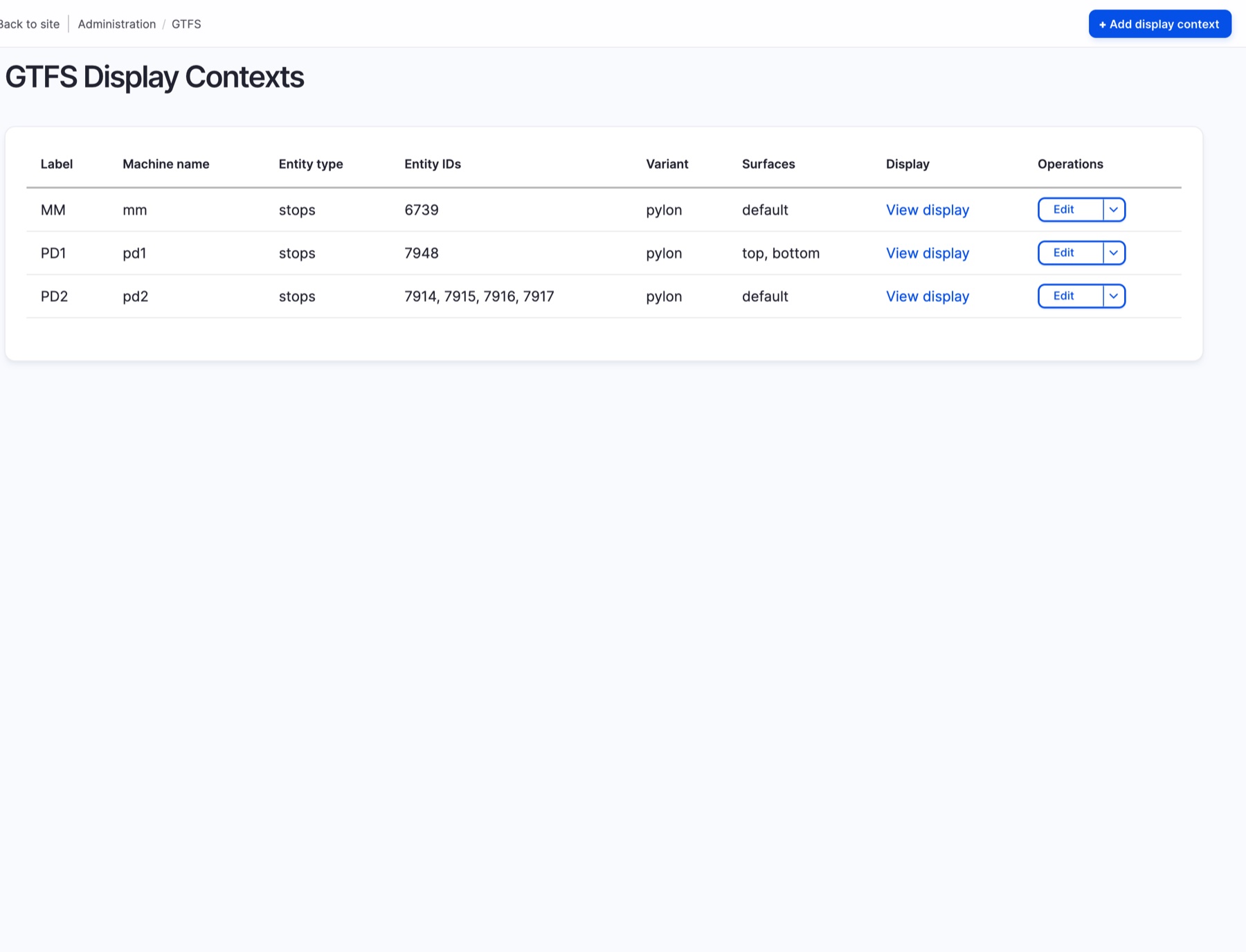
#   /admin/gtfs/display  create display contexts
It behaves like the Drupal you know
Feeds and display contexts are config entities: build them in the admin UI, export them with the rest of your configuration, review them in git, deploy them through the pipeline the site already uses.
- Content entities — routes, stops, and trips are fieldable, translatable content; hang landing pages or extra metadata off them like any node
- Views — query and list GTFS data with the same tool you build every other listing with
- View modes & theming — render transit records with your theme, not ours
- Roles & permissions — API grants and per-display access ride the permission system you already administer
- Your servers, your data — imported feeds, realtime caches, and display telemetry live in a database you administer, on platforms you control
Building for a Bay Area operator? The 511 provisioning module sets up every feed from one settings form, and GTFS+ is already modeled.
Bay Area detailsOur surfaces consume the same API you would.
Every display and map on the platform is a client of the versioned JSON API — there is no privileged internal path. What each endpoint exposes, and to whom, is a permission decision you make per role. The full API reference documents every endpoint, parameter and response shape.
- Protobuf in, JSON out — GTFS‑Realtime (opens in a new tab) trip updates, vehicle positions, and service alerts are decoded server-side; consumers never touch Protobuf
- Demand-driven freshness — a display requesting data triggers an async refresh of any stale feed, so busy screens keep feeds hot
- ID mapping hooks — when realtime stop IDs don't match your static feed (they often don't), one hook reconciles them
# Static GTFS, served as JSON
GET /gtfs/api/v2/feeds/{feed}/stops/{stop_id}
GET /gtfs/api/v2/feeds/{feed}/stops/{stop_id}/routes

# Realtime
GET /gtfs/api/v2/rt/tripupdates/{stop_id}
GET /gtfs/api/v2/rt/vehicles?stop_id={stop_id}
GET /gtfs/api/v2/rt/alerts/stops/{stop_id}
// One canonical prediction shape,
// however messy the upstream feed
{
  "trip_id":  "t_48151",
  "route_id": "17",
  "stop_id":  "4021",
  "predicted_arrival_epoch": 1766920841,
  "delay": 120,
  "vehicle_id": "2214",
  "headsign": "Airport via Union Station",
  "is_last_stop": false
}
Response conventions
- Predictable REST — versioned endpoints under
/gtfs/api/v2/, consistent envelopes, feed timestamps in the metadata - Normalized predictions — raw trip updates become one canonical shape, sorted and grouped for departure boards
- Cache-aware — static endpoints are long-lived and page-cacheable; realtime endpoints stay short-lived and cheap to poll
- Kiosk-friendly defaults — anonymous read is a grant you make explicitly, scoped to the endpoints public screens need
Integrating with the site you already run
If the main site runs Drupal, the platform installs into it — one codebase, one admin, one login. If it runs anything else, it runs beside it and shows up where you want it.
Native install
On a Drupal main site the suite is just more modules: route and stop pages become real pages in your theme, schedules become content, and editors never leave the admin they know.
Embeds
Live maps and boards arrive as iframes at clean URLs, with a postMessage contract for ready/empty states and allowed origins enforced via CSP frame-ancestors. Details on the maps page.
Direct API
Skip the iframe and consume the JSON from your own frontend, app, or data pipeline — the same endpoints the displays poll.
Kiosks are URLs
A display is a page at a predictable path. Any hardware with a browser can show one; there is nothing to install on the device.
Agency-specific hooks
Skins, liveries, ID mapping, and import quirks land in a thin agency module through hooks the core publishes. How custom work is structured.
Works with
The specifications the suite implements, the feed sources it has already run against, and the software underneath. Any publisher of GTFS and GTFS‑Realtime works; these are the ones we have worked with.















Put your feed to work.
Clone the modules, stand up a site, and write us when you hit something weird.